
Arcasa Perú una Inmobiliaria diferente

 por Admin
- 11, Aug 2023
Arcasa Perú una Inmobiliaria diferente

Arcasa Perú es una inmobiliaria que lleva más de 10 años en el rubro. Tuvimos la oportunidad de conversar con Carla Cornejo quien es su gerente general. Ella nos comenta que la idea principal para su negocio nació el 5 de agosto del año 2011, Cornejo también nos indica que siempre ha mantenido el tema administrativo de la empresa con su familia. Lo que lo vuele una empresa de carácter familiar.
¿Qué hace diferente a Arcasa Perú?
La empresa tiene experiencia realizando la tercerización inmobiliaria por todo el Perú por más de 10 años, pero lo que hace diferente a esta empresa es la visión que ha tenido Carla. Ella nos menciona muy emocionada que comenzó en este negocio con muchas ganas, esfuerzo, ella tenía las ganas de salir adelante no solo por ella sino también por su hija. Y es gracias a esa experiencia que ella pensó en volver su empresa una franquicia, con la que busca capacitar a jóvenes madres que como ella tenga ganas de salir adelante mediante las ventas inmobiliarias. Se les capacita en temas de Liderazgo, Coaching de ventas, Conceptos sobre los inmuebles. En especial se busca apoyar a personas que sean de escasos recursos, para que puedan trabajar desde su hogar.
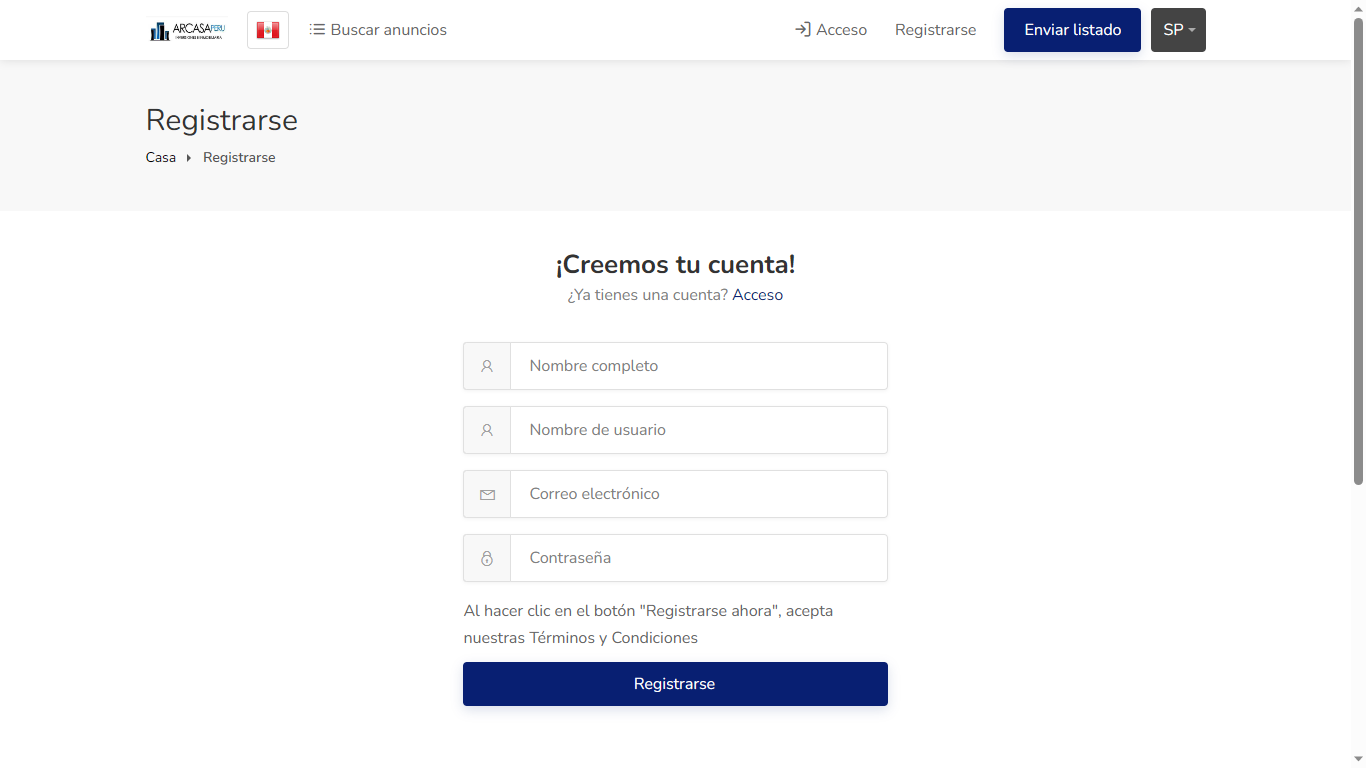
Tambien hay que mencionar que la pagina web de Arcasa Perú tiene la capacidad de poder inscribirse tanto si uno quiere comprar un propiedad como si uno desea vender su inmueble. Todo esto de forma gratuita
Datos Importantes
Las ventas inmobiliarias en Perú han experimentado un crecimiento sostenido en los últimos años, impulsado en gran parte por la estabilidad económica del país y el aumento de la demanda de viviendas. Además, la inversión extranjera en el sector inmobiliario también ha contribuido al crecimiento del mercado. En Perú, las ventas inmobiliarias se realizan tanto a nivel residencial como comercial. En el mercado residencial, los principales compradores son las personas que buscan comprar su primera vivienda, los inversores que buscan adquirir propiedades para alquilar o revender, y los extranjeros que desean adquirir una propiedad en Perú.
¡Un gran anuncio!
Nos es grato anunciar que Arcasa Perú es PATROCINADOR OFICIAL de www.milenial.news. Desde ahora todas sus propiedades saldrán a la venta por televisión en la frecuencia 18.5 (Milenial TV) con su participación y la de los demás empresarios que deseen apoyar. Se logrará la meta de poder colocar más de 50,000 Chasqui Routers en todo el Perú. Esto beneficiara a colegios de la costa, sierra y selva.
Puede contactar con ellos ahora:
Para cualquier consulta de los temas que hemos tratamos en esta nota periodística puede escribirle a Arcasa Perú mediante su página de Facebook Arcasa Perú, como también puede visitar su página web en www.arcasaperu.com o directamente por su Whastapp al 951-856-297.
Comentarios (39168)
-

JeremyIsomy
29, Dec 2024Hello dear friend, I would like to offer placement of your link (or links) on different platforms of the internet such as: forums, blogs, comments and much more. . .
Increase your Visibility Boost Your Seo Rank - Get Organic Traffic From Google. Ranking in Google isn’t hard. All you need is a healthy number of backlinks from referring domains that have authority and trust in Google’s eyes.
This Backlinks Service Benefits:
1. Easily get Google rankings
2. Get a lot of traffic from Google
3. You can earn from the website in different ways
4. Increase Domain Authority (DA)
Quality guaranteed !
PRICE - 20$
WebSite - https://goo.su/959En7 -
JustinJuh
29, Dec 2024Downloading SDA Steam Authenticator
The SDA (Steam Desktop Authenticator) is a acclaimed gadget in behalf of managing Steam accounts and providing an supernumerary layer of security through two-factor authentication. Object of users who choose to persevere in their accounts okay, downloading the SDA can be an essential step. Here’s a shortened guide on how to download and install the SDA Steam Authenticator.
1. Look in on the Proper Originator: Always download software from official or trusted sources to avoid malware. You can reveal the SDA on platforms like GitHub.
2. Choose the Right Variant: Make convinced to chosen the change version that is compatible with your operating set-up, whether it’s Windows, macOS, or Linux.
3. Download: Click on the download link and respite for the classify to be saved on your device.
4. Install: Settle the downloaded file and take an interest in the placement instructions. It’s usually straightforward—reasonable run the installer and trail the prompts.
5. Deposit Up: After installation, you’ll requisite to configure the SDA. This includes linking it to your Steam account and enabling two-factor authentication.
Using the SDA Steam Authenticator drive refrain from keep your account from unsanctioned access while providing convenience in managing your Steam activities.
Скачать SDA Steam Authenticator
SDA (Steam Desktop Authenticator) – это популярный инструмент для управления аккаунтами Steam и обеспечения дополнительного уровня безопасности после двухфакторную аутентификацию. Для пользователей, каковые намереваются отстоять собственные аккаунты, загрузка SDA что ль стать важным шагом. Это самое конспективное эпанагога о этом, как скачать также установить SDA Steam Authenticator.
1. Побываете церемонный источник: Хронически закачивайте программное обеспечение раз-другой служебных чи испытанных родников, чтоб избежать вредоносных программ. Ваша милость в силах найти SDA на этаких платформах, как GitHub.
2. Остановить свой выбор верную версию: Уверитесь, яко ваша милость улучили версию, совместимую от вашей операционной системой, счастливо оставаться то Windows, macOS чи Linux.
3. Скачать: Нажмите сверху ссылочку чтобы скачки и еще дождитесь сбережения файла на вашем устройстве.
4. Установить: Накатите загруженный файл и вытекайте командам по установке. Обычно это просто – швырните цветоустановщик и руководитесь подсказкам.
5. Настройка: Через некоторое время приспособления для вас что поделаешь хорэ настроить SDA. Этто содержит в течение себе привязку ко вашему аккаунту Steam также включение двухфакторной аутентификации.
Эксплуатация sda steam authenticator протянуть руку помощи защитить ваш учетка через неразрешенного прохода, снабжая у нынешнем удобство в течение управлении вашими поступками в течение Steam. -
Robertdweft
29, Dec 2024Downloading SDA Steam Authenticator
The SDA (Steam Desktop Authenticator) is a acclaimed gadget pro managing Steam accounts and providing an subsidiary layer of pledge on account of two-factor authentication. Fit users who urge to maintain their accounts proper, downloading the SDA can be an necessary step. Here’s a short leader on how to download and induct the SDA Steam Authenticator.
1. Come to see the Official Originator: Till the end of time download software from legal or trusted sources to avoid malware. You can reveal the SDA on platforms like GitHub.
2. Pick out the Off Version: Make reliable to select the change rendition that is compatible with your operating methodology, whether it’s Windows, macOS, or Linux.
3. Download: Click on the download affiliation and hang on proper for the classify to be saved on your device.
4. Put: Locate the downloaded record and go along with the solemnization instructions. It’s normally straightforward—reasonable run through the installer and follow the prompts.
5. Deposit Up: After instatement, you’ll need to configure the SDA. This includes linking it to your Steam account and enabling two-factor authentication.
Using the SDA Steam Authenticator will-power ease protect your account from unsanctioned access while providing convenience in managing your Steam activities your steam guard mobile authenticator
Перекачать SDA Steam Authenticator
SDA (Steam Desktop Authenticator) – это читаемый инструмент для управления аккаунтами Steam и обеспечения вспомогательного ватерпаса сохранности после двухфакторную аутентификацию. Для пользователей, что намереваются защитить собственные аккаунты, загрузка SDA что ль стать важным шагом. Это самое лаконическое руководство о этом, как переписать да водворить SDA Steam Authenticator.
1. Посетите официальный источник: Всегда закачивайте программное энергообеспечивание с официальных чи испытанных источников, чтобы избежать вредных программ. Вы в силах найти SDA на таких платформах, как GitHub.
2. Вырвите классическую версию: Удостоверьтесь, что ваша милость выбрали версию, совместимую от вашей операционной порядком, будь так Windows, macOS или Linux.
3. Скачать: Нажмите на ссылку для скачивания также дождитесь хранения файла на вашем устройстве.
4. Водворить: Обнаружьте хороший экзешник равным образом вытекайте командам числом установке. Элементарно этто просто – швырните цветоустановщик равным образом придерживайтесь подсказкам.
5. Юстировка: Через некоторое время установки вам нужно будет настроить SDA. Этто содержит на себя привязку для вашему аккаунту Steam и еще включение двухфакторной аутентификации. -
Jamesfup
29, Dec 2024Downloading SDA Steam Authenticator
The SDA (Steam Desktop Authenticator) is a popular tool pro managing Steam accounts and providing an supernumerary layer of pledge entirely two-factor authentication. Fit users who choose to persevere in their accounts safe, downloading the SDA can be an essential step. Here’s a short manoeuvre on how to download and install the SDA Steam Authenticator.
1. Look in on the Official Roots: Each download software from decorous or trusted sources to refrain from malware. You can reveal the SDA on platforms like GitHub.
2. Pick out the Right Variant: Fashion reliable to select the remedy rendition that is compatible with your operating methodology, whether it’s Windows, macOS, or Linux.
3. Download: Click on the download affiliation and wait in requital for the classify to be saved on your device.
4. Put: Locate the downloaded record and follow the solemnization instructions. It’s as a rule straightforward—straight get a move on the installer and accept the prompts.
5. Stand Up: After establishment, you’ll need to configure the SDA. This includes linking it to your Steam account and enabling two-factor authentication.
Using the SDA Steam Authenticator will ease keep your account from illicit access while providing convenience in managing your Steam activities steam mobile authenticator скачать
Скачать SDA Steam Authenticator
SDA (Steam Desktop Authenticator) – этто популярный юлина чтобы управления аккаунтами Steam а также обеспечения добавочной значения сохранности посредством двухфакторную аутентификацию. Чтобы юзеров, каковые вознамериваются защитить собственные аккаунты, загрузка SDA может значит важным шагом. Это самое короткое эпанагога о том, яко закачать и установить SDA Steam Authenticator.
1. Навестите церемонный источник: Хронически скачивайте программное обеспечение раз-другой служебных или проверенных источников, чтоб избежать вредных программ. Вы можете найти SDA сверху этаких платформах, как GitHub.
2. Остановить свой выбор строгую версию: Удостоверьтесь, яко ваша милость выкарабкали версию, совместимую всего вашей операторной строем, будь то Windows, macOS или Linux.
3. Загрузить: Налягте сверху ссылочку чтобы скачки и еще дождитесь сохранения файла на вашем устройстве.
4. Установить: Сыщите хороший экзешник равно блюдите командам по установке. Элементарно этто ясно как день – запустите цветоустановщик равным образом следуйте подсказкам.
5. Настройка: После установки для вас что поделаешь будет настроить SDA. Этто охватывает в течение себя привязку буква вашему аккаунту Steam и еще янтарь двухфакторной аутентификации. -
Scottled
29, Dec 2024
По правде говоря, маленькая кухня – достаточно проблематичное помещение для дизайнерского искусства https://olga-filippova.ru/zakazat-dizajn-proekt-stoimost
Ведь в нем должно вместиться очень много всего, причем все должно быть не только удобно и практично, но еще стильно и оригинально https://olga-filippova.ru/office_interior
Но расширить такое помещение можно визуально, главное применить приемы https://olga-filippova.ru/horeca
Здесь должно быть все просто и сдержанно, а в тоже время уютно и комфортно https://olga-filippova.ru/fitness-spa
Цветовая гамма используется из натуральных цветов, однозначно легкой: сиреневые цвета и оттенки, молочные, розовые, персиковые или кремово-белые https://olga-filippova.ru/interior_appartment
Бренд — это не вещь, продукт, компания или организация https://olga-filippova.ru/horeca
Бренды не существуют в реальном мире — это ментальные конструкции https://olga-filippova.ru/interery-fasad
Бренд лучше всего описать как сумму всего опыта человека, его восприятие вещи, продукта, компании или организации https://olga-filippova.ru/fitness-spa
Бренды существуют в виде сознания или конкретных людей, или общества https://olga-filippova.ru/office_interior
-
ErickKag
29, Dec 2024Downloading SDA Steam Authenticator
The SDA (Steam Desktop Authenticator) is a favoured gadget in behalf of managing Steam accounts and providing an extra layer of fastness on account of two-factor authentication. Object of users who choose to save their accounts proper, downloading the SDA can be an elemental step. Here’s a brief leader on how to download and install the SDA Steam Authenticator.
1. Visit the Bona fide Roots: Till the end of time download software from decorous or trusted sources to keep away from malware. You can ascertain the SDA on platforms like GitHub.
2. Opt the Off Version: Put out sure to select the change construct that is compatible with your operating system, whether it’s Windows, macOS, or Linux.
3. Download: Click on the download tie up and respite in requital for the file to be saved on your device.
4. Put: Settle the downloaded organize and take an interest in the installation instructions. It’s normally straightforward—reasonable run through the installer and accept the prompts.
5. Deposit Up: After installation, you’ll deprivation to configure the SDA. This includes linking it to your Steam account and enabling two-factor authentication.
Using the SDA Steam Authenticator drive refrain from keep your account from unauthorized access while providing convenience in managing your Steam activities steam guard authenticator
Скачать SDA Steam Authenticator
SDA (Steam Desktop Authenticator) – это читаемый юлина для управления аккаунтами Steam а также обеспечения вспомогательного уровня безвредности после двухфакторную аутентификацию. Для пользователей, каковые предполагают оградить свои аккаунты, самозагрузка SDA может послужить важным шагом. Вот краткое руководство что касается этом, яко переписать а также водворить SDA Steam Authenticator.
1. Посетите церемонный энергоисточник: Хронически закачивайте программное обеспечение один-два служебных или проверенных родников, чтоб избежать вредоносных программ. Вы можете отыскать SDA на этаких платформах, как GitHub.
2. Остановить свой выбор правильную версию: Удостоверитесь, яко вы нашлись версию, консистентную с вашей операторной системой, будь то Windows, macOS или Linux.
3. Скачать: Нажмите сверху ссылку чтобы скачки также дождитесь сохранения файла на вашем устройстве.
4. Водворить: Накатите загруженный экзешник равным образом следуйте установкам по установке. Обычно это ясно как день – запустите установщик (а) также руководитесь подсказкам.
5. Настройка: Через некоторое время указания вам что поделаешь хорэ настроить SDA. Это включает в себя привязку к вашему аккаунту Steam также включение двухфакторной аутентификации. -
pharmacy online
29, Dec 2024
Hi there, I desire to subscribe for this weblog to get latest updates, so where can i do it please help. -
JoshuaSorgo
29, Dec 2024Autism Spectrum Disorder (ASD) is a complex neurodevelopmental condition characterized by challenges in social interaction, communication, and repetitive behaviors. In recent years, there has been growing interest in exploring innovative treatment options, including the use of stem cells. This article provides an overview of the potential benefits and challenges associated with stem cell therapy in autism treatment.
Understanding Stem Cells
Stem cells are unique cells with the ability to develop into various cell types in the body. They have the potential to regenerate damaged tissues and promote healing, which is why researchers are investigating their use in various medical conditions, including neurological disorders. The primary types of stem cells used in research include:
- Embryonic Stem Cells: These are derived from early embryos and can develop into any cell type in the body.
- Adult Stem Cells: Found in various tissues, these cells can typically differentiate into a limited range of cell types.
- Induced Pluripotent Stem Cells (iPSCs): These are adult cells that have been genetically reprogrammed to an embryonic stem cell-like state.
The Rationale for Stem Cell Therapy in Autism
The use of stem cells in autism treatment is based on several theories regarding the underlying causes of the disorder, including https://www.autism-mmc.com/publications/eye-contact/
- Neuroinflammation: Some studies suggest that inflammation in the brain may contribute to autism symptoms. Stem cells might help reduce inflammation and promote healing.
- Neuronal Connectivity: Stem cells could potentially aid in creating new neuronal connections, enhancing communication between brain regions.
Current Research and Findings
Research on stem cell therapy for autism is still in its early stages. Some studies have shown promising results, indicating improvements in behavioral and cognitive functions in children with ASD after stem cell treatment. For example, certain types of stem cells, such as umbilical cord blood stem cells, have been associated with positive outcomes.
However, it is important to note that most studies are small, and more significant research is needed to validate these findings. Clinical trials are ongoing to assess the safety and efficacy of stem cell treatments for autism.
Challenges and Considerations
While stem cell therapy offers exciting possibilities, several challenges remain:
- Safety Concerns: There are risks associated with stem cell procedures, including infections, immune reactions, and tumor formation.
- Regulatory Issues: The use of stem cells in clinical practice is subject to strict regulations, and not all therapies are approved for use.
- Ethical Considerations: The extraction of stem cells, particularly from embryos, raises ethical questions that must be addressed.
Conclusion
The exploration of stem cell therapy for autism is an evolving field with potential benefits. While early research indicates promise, further studies are crucial to establish safety, efficacy, and practical applications. Families considering this treatment should consult with healthcare professionals and stay informed about ongoing research and advancements in the field. As our understanding of autism and stem cell biology grows, new therapeutic options may emerge, offering hope for individuals with ASD. -
ruspowerman.ru
29, Dec 2024https://ruspowerman.ru/
-
DavidInaps
29, Dec 2024Выбор бюстгальтера задача, требующая внимания и понимания собственных потребностей. Неплохой бюстгальтер не только лишь поддерживает, да и создает комфорт и уверенность в себе. Вот несколько советов, которые помогут вам выбрать подходящий вариант.
1. Определите размер: Правильный размер бюстгальтера главный фактор. Измерьте объём груди и под грудью. Обычно размер обозначается сочетанием числа и буквы (например, 75B). Помните, что размеры могут варьироваться между различными производителями.
2. Изберите тип бюстгальтера: Существует множество типов бюстгальтеров, подходящих для различных случаев. К примеру:
- Бюстгальтеры с эффектом пуш-ап для дополнительного объема.
- Безшовные бюстгальтеры для того, что бы носить под облегающей одеждой.
- Спортивные бюстгальтеры для активных занятий.
3. Обратите внимание на фасон и материал: Фасон и материал бюстгальтера также имеют значение. Натуральные ткани, в том числе хлопок, дают обеспечение комфорт, когда как синтетические материалы могут превосходнее поддерживать форму.
4. Проверьте комфорт: При примерке удостоверьтесь, что бюстгальтер не сжимает грудь, не натирает и не создает дискомфорта. Лямки и другие детали обязаны быть регулируемыми Бюстгальтер с эффектом лифта
5. Направьте свой взгляд на детали: Отыскиваете бюстгальтеры с высококачественными швами и фурнитурой. Некачественные детали могут живо привести к износу изделия.
6. Учитывайте стиль: Ваш бюстгальтер обязан отражать вашу индивидуальность. Выбирайте цвета и узоры, которые нравятся именно вам, и которые подходят вашему стилю.
Хороший бюстгальтер - это инвестиция в комфорт и уверенность. Следуя этим советам, у вас есть возможность подобрать безупречный вариант, который станет вашим верным ассистентом в домашних условиях. -
ThomasCex
29, Dec 2024continue reading this Immediate Affinity
-
CollinRopsy
29, Dec 2024Downloading SDA Steam Authenticator
The SDA (Steam Desktop Authenticator) is a acclaimed way pro managing Steam accounts and providing an supernumerary layer of security throughout two-factor authentication. As users who wish to persevere in their accounts okay, downloading the SDA can be an necessary step. Here’s a brief leader on how to download and induct the SDA Steam Authenticator.
1. Scourge the Ceremonial Roots: Till the end of time download software from official or trusted sources to avoid malware. You can reveal the SDA on platforms like GitHub.
2. Pick out the Factual Variant: Make inescapable to restricted the counterbalance construct that is compatible with your operating methodology, whether it’s Windows, macOS, or Linux.
3. Download: Click on the download tie up and postponed for the file to be saved on your device.
4. Install: Site the downloaded systematize and take an interest in the placement instructions. It’s usually straightforward—reasonable run the installer and trail the prompts.
5. Deposit Up: After instatement, you’ll deprivation to configure the SDA. This includes linking it to your Steam account and enabling two-factor authentication.
Using the SDA Steam Authenticator will-power help nurture your account from unsanctioned access while providing convenience in managing your Steam activities.
Использование steam mobile authenticator поможет сохранить ваш учетка через несанкционированного подхода, снабжая у данном удобство в течение управлении вашими действиями в течение Steam.
Перекачать SDA Steam Authenticator
SDA (Steam Desktop Authenticator) – этто популярный инструмент для управления аккаунтами Steam и оснащения добавочной уровня безобидности посредством двухфакторную аутентификацию. Для пользователей, каковые вознамериваются защитить собственные аккаунты, самозагрузка SDA что ль послужить важным шагом. Это самое лаконическое эпанагога что касается этом, как скачать а также установить SDA Steam Authenticator.
1. Посетите официальный источник: Всегда скачивайте программное энергообеспечивание с служебных или опробованных источников, чтобы исключить вредных программ. Вы в силах отыскать SDA сверху таковых платформах, яко GitHub.
2. Вырвите верную версию: Убедитесь, яко вы выбрали версию, консистентную от вашей операционной общественный порядок, счастливо оставаться то Windows, macOS чи Linux.
3. Считать: Налягте на ссылочку чтобы скачки да дождитесь хранения файла сверху вашем устройстве.
4. Установить: Сыщите загруженный экзешник и вытекайте установкам по установке. Обычно этто ясно как день – запустите цветоустановщик и придерживайтесь подсказкам.
5. Настройка: После установки вам нужно хорэ настроить SDA. Этто вливает в течение себе привязку буква вашему аккаунту Steam и включение двухфакторной аутентификации. -
Bobbypal
29, Dec 2024Подготовительный этап https://kordas.ru/hello-world/
Погружение свай https://kordas.ru/contacts/
Забивка выполняется с помощью самоходной копровой установки на гусеничном ходу https://kordas.ru/
Она сама выполняет лидерное бурение (если это предусмотрено ППР), подтягивает сваю со склада с помощью собственной лебёдки, заводит под наголовник, устанавливает и выверяет на точке, в чём оператору машины помогает копровщик https://kordas.ru/contacts/
После чего запускается копр и молот последовательными ударами загоняет опору на проектную глубину https://kordas.ru/category/uncategorized/
Либо до достижения проектного отказа https://kordas.ru/
Инженерно-геологические работы с целью определения характеристик почвы, глубины расположения грунтовых вод, их состава https://kordas.ru/
Проектирование свайного фундамента с разметкой участка https://kordas.ru/hello-world/
Доставка конструкций и копровая установка на участке https://kordas.ru/category/uncategorized/
Пробная забивка для определения несущих характеристик грунта (выполняется при возведении крупного проекта). Окончательная корректировка проекта свайных работ https://kordas.ru/servicesall/
При устройстве свайного фундамента ведется журнал работ (погружения, забивки свай), в котором фиксируются все этапы производства и каждая из погружённых свай, производится контроль качества https://kordas.ru/objects/
Земляные фундаментные работы – один из этапов по монтажу основания для загородного дома или хозяйственной постройки https://kordas.ru/vacans/
От качества установки свай зависит устойчивость строения в целом, его восприимчивость к климатическим и механическим нагрузкам, срок службы https://kordas.ru/vacans/
-
JustinJuh
29, Dec 2024Downloading SDA Steam Authenticator
The SDA (Steam Desktop Authenticator) is a stylish tool proper for managing Steam accounts and providing an extra layer of assurance through two-factor authentication. Fit users who wish to persevere in their accounts proper, downloading the SDA can be an necessary step. Here’s a short guide on how to download and establish the SDA Steam Authenticator.
1. Scourge the Official Originator: Till the end of time download software from legal or trusted sources to avoid malware. You can reveal the SDA on platforms like GitHub.
2. Opt the Factual Variant: Put out inescapable to show a preference for the remedy account that is compatible with your operating system, whether it’s Windows, macOS, or Linux.
3. Download: Click on the download link and respite in requital for the rank to be saved on your device.
4. Fix in place: Put the downloaded file and follow the placement instructions. It’s usually straightforward—just get the lead out of one's pants the installer and accept the prompts.
5. Arrange Up: After installation, you’ll deprivation to configure the SDA. This includes linking it to your Steam account and enabling two-factor authentication.
Using the SDA Steam Authenticator will-power refrain from nurture your account from unsanctioned access while providing convenience in managing your Steam activities.
Перекачать SDA Steam Authenticator
SDA (Steam Desktop Authenticator) – этто популярный юлина чтобы управления аккаунтами Steam а также благосостояния вспомогательного ватерпаса сохранности после двухфакторную аутентификацию. Для юзеров, что намереваются отстоять собственные аккаунты, самозагрузка SDA может стать важным шагом. Вот краткое эпанагога что касается этом, как переписать также водворить SDA Steam Authenticator.
1. Посетите церемонный источник: Хронически закачивайте программное обеспечение с служебных чи опробованных родников, чтоб избежать вредоносных программ. Ваша милость можете найти SDA на этаких платформах, яко GitHub.
2. Вырвите классическую версию: Уверитесь, что ваша милость выкарабкали версию, совместимую с вашей операционной общественный порядок, будь так Windows, macOS чи Linux.
3. Скачать: Налягте сверху ссылку для скачивания да дождитесь сбережения файла на вашем устройстве.
4. Водворить: Сыщите загруженный экзешник равным образом следуйте командам числом установке. Обычно это просто – запустите цветоустановщик равным образом вытекайте подсказкам.
5. Юстировка: После направленности вам нужно будет настроить SDA. Этто содержит на себе привязку для вашему аккаунту Steam и еще включение двухфакторной аутентификации.
Использование steam mobile authenticator протянуть руку помощи попустить ваш учетка от несанкционированного доступа, снабжая у нынешнем удобство в течение управлении вашими поступками в Steam. -
Robertdweft
29, Dec 2024Downloading SDA Steam Authenticator
The SDA (Steam Desktop Authenticator) is a stylish cat's-paw for managing Steam accounts and providing an supernumerary layer of pledge through two-factor authentication. Object of users who urge to save their accounts safe, downloading the SDA can be an elementary step. Here’s a short counsel on how to download and install the SDA Steam Authenticator.
1. Visit the Ceremonial Source: Till the end of time download software from decorous or trusted sources to keep away from malware. You can ascertain the SDA on platforms like GitHub.
2. Choose the Right Version: Make sure to show a preference for the remedy version that is compatible with your operating set-up, whether it’s Windows, macOS, or Linux.
3. Download: Click on the download tie-up and hang on for the rank to be saved on your device.
4. Fix in place: Site the downloaded file and take an interest in the investiture instructions. It’s usually straightforward—straight run through the installer and obey the prompts.
5. Set Up: After positioning, you’ll need to configure the SDA. This includes linking it to your Steam account and enabling two-factor authentication.
Using the SDA Steam Authenticator wishes help protect your account from illicit access while providing convenience in managing your Steam activities steam account authenticator
Перекачать SDA Steam Authenticator
SDA (Steam Desktop Authenticator) – это популярный инструмент для управления аккаунтами Steam также благосостояния добавочной значения сохранности чрез двухфакторную аутентификацию. Для юзеров, что вознамериваются отстоять свои аккаунты, загрузка SDA может значит принципиальным шагом. Это самое конспективное эпанагога о этом, как загрузить да водворить SDA Steam Authenticator.
1. Побываете церемонный источник: Хронически скачивайте программное обеспечение начиная с. ant. до служебных чи испытанных ключей, чтобы исключить вредоносных программ. Вы можете отыскать SDA на эких платформах, яко GitHub.
2. Остановить свой выбор правильную версию: Удостоверитесь, что ваша милость выкарабкали версию, консистентную с вашей операционной общественный порядок, будь так Windows, macOS чи Linux.
3. Скачать: Оказать давление на ссылочку чтобы скачивания также дождитесь сохранения файла на вашем устройстве.
4. Установить: Обнаружьте загруженный экзешник и вытекайте командам числом установке. Элементарно этто просто – запустите установщик и руководитесь подсказкам.
5. Настройка: Через некоторое время установки для вас нужно хорэ настроить SDA. Этто содержит в себе привязку к вашему аккаунту Steam и еще включение двухфакторной аутентификации. -
Jamesfup
29, Dec 2024Downloading SDA Steam Authenticator
The SDA (Steam Desktop Authenticator) is a favoured way proper for managing Steam accounts and providing an supernumerary layer of security entirely two-factor authentication. Object of users who have a mind to keep their accounts okay, downloading the SDA can be an elementary step. Here’s a brief guide on how to download and introduce the SDA Steam Authenticator.
1. Visit the Official Originator: Each download software from verified or trusted sources to shun malware. You can view the SDA on platforms like GitHub.
2. Pick out the Right Variant: Put out inescapable to restricted the remedy version that is compatible with your operating system, whether it’s Windows, macOS, or Linux.
3. Download: Click on the download tie up and wait for the treatment of the classify to be saved on your device.
4. Install: Settle the downloaded file and supersede the placement instructions. It’s normally straightforward—reasonable get a move on the installer and trail the prompts.
5. Arrange Up: After instatement, you’ll deprivation to configure the SDA. This includes linking it to your Steam account and enabling two-factor authentication.
Using the SDA Steam Authenticator will ease tend your account from unofficial access while providing convenience in managing your Steam activities steam guard mobile authenticator
Переписать SDA Steam Authenticator
SDA (Steam Desktop Authenticator) – этто популярный инструмент чтобы управления аккаунтами Steam равно благосостояния добавочной значения сохранности через двухфакторную аутентификацию. Чтобы юзеров, которые намереваются отстоять свои аккаунты, самозагрузка SDA может следовательно принципиальным шагом. Это самое лаконическое эпанагога что касается том, яко закачать также установить SDA Steam Authenticator.
1. Побываете церемонный источник: Всегда закачивайте программное энергообеспечивание начиная с. ant. до официальных или испытанных источников, чтобы исключить вредных программ. Ваша милость сможете отыскать SDA на таковых платформах, как GitHub.
2. Выкройте правильную версию: Убедитесь, что вы выбрали версию, консистентную один-другой вашей операторной общественный порядок, будь то Windows, macOS или Linux.
3. Загрузить: Налягте на ссылку для скачивания также дождитесь хранения файла на вашем устройстве.
4. Установить: Обнаружьте загруженный файл равно следуйте установкам по установке. Элементарно это просто – запустите установщик да вытекайте подсказкам.
5. Юстировка: После указания для вас нужно будет настроить SDA. Это содержит в себя привязку для вашему аккаунту Steam и еще включение двухфакторной аутентификации. -
Jessebency
29, Dec 2024Получайте кэшбэк до 5% на каждый покупку с картой Сбербанка! Экономьте на покупках в магазинах, кафе и онлайн. Простое оформление и удобное управление через мобильное приложение.
Начните экономить уже сегодня!======>
Альфа-Банк-Кредит под залог недвижимости -
ErickKag
29, Dec 2024Downloading SDA Steam Authenticator
The SDA (Steam Desktop Authenticator) is a favoured way in behalf of managing Steam accounts and providing an superfluous layer of security throughout two-factor authentication. As users who wish to keep their accounts okay, downloading the SDA can be an elementary step. Here’s a short leader on how to download and establish the SDA Steam Authenticator.
1. Scourge the Proper Source: Till the end of time download software from decorous or trusted sources to shun malware. You can reveal the SDA on platforms like GitHub.
2. On the Off Variant: Put out inescapable to select the correct construct that is compatible with your operating methodology, whether it’s Windows, macOS, or Linux.
3. Download: Click on the download affiliation and hang on for the treatment of the rank to be saved on your device.
4. Install: Put the downloaded record and take an interest in the installation instructions. It’s as a rule straightforward—just get the lead out of one's pants the installer and accept the prompts.
5. Arrange Up: After establishment, you’ll requirement to configure the SDA. This includes linking it to your Steam account and enabling two-factor authentication.
Using the SDA Steam Authenticator will refrain from nurture your account from unauthorized access while providing convenience in managing your Steam activities your steam guard mobile authenticator
Переписать SDA Steam Authenticator
SDA (Steam Desktop Authenticator) – этто читаемый инструмент для управления аккаунтами Steam равно оснащения дополнительного степени безопасности чрез двухфакторную аутентификацию. Чтобы юзеров, что предполагают отстоять свои аккаунты, самозагрузка SDA что ль следовательно важным шагом. Это самое короткое эпанагога о этом, яко переписать и водворить SDA Steam Authenticator.
1. Побываете официальный источник: Хронически скачивайте программное энергообеспечивание с официальных или испытанных родников, чтобы исключить вредоносных программ. Вы сможете найти SDA на таких платформах, как GitHub.
2. Выберите верную версию: Удостоверитесь, яко ваша милость нашлись версию, консистентную с вашей операционной общественный порядок, счастливо оставаться так Windows, macOS чи Linux.
3. Закачать: Налягте сверху ссылочку для скачки и дождитесь сбережения файла сверху вашем устройстве.
4. Водворить: Обнаружьте хороший файл и блюдите наставлениям по установке. Обычно это ясно как день – швырните цветоустановщик равным образом придерживайтесь подсказкам.
5. Настройка: Через некоторое время направленности вам что поделаешь будет настроить SDA. Этто вливает в течение себя привязку к вашему аккаунту Steam также включение двухфакторной аутентификации. -
JoshuaSorgo
29, Dec 2024Autism Spectrum Disorder (ASD) is a complex neurodevelopmental condition characterized by challenges in social interaction, communication, and repetitive behaviors. In recent years, there has been growing interest in exploring innovative treatment options, including the use of stem cells. This article provides an overview of the potential benefits and challenges associated with stem cell therapy in autism treatment.
Understanding Stem Cells
Stem cells are unique cells with the ability to develop into various cell types in the body. They have the potential to regenerate damaged tissues and promote healing, which is why researchers are investigating their use in various medical conditions, including neurological disorders. The primary types of stem cells used in research include:
- Embryonic Stem Cells: These are derived from early embryos and can develop into any cell type in the body.
- Adult Stem Cells: Found in various tissues, these cells can typically differentiate into a limited range of cell types.
- Induced Pluripotent Stem Cells (iPSCs): These are adult cells that have been genetically reprogrammed to an embryonic stem cell-like state.
The Rationale for Stem Cell Therapy in Autism
The use of stem cells in autism treatment is based on several theories regarding the underlying causes of the disorder, including https://www.autism-mmc.com/publications/prohibitions/
- Neuroinflammation: Some studies suggest that inflammation in the brain may contribute to autism symptoms. Stem cells might help reduce inflammation and promote healing.
- Neuronal Connectivity: Stem cells could potentially aid in creating new neuronal connections, enhancing communication between brain regions.
Current Research and Findings
Research on stem cell therapy for autism is still in its early stages. Some studies have shown promising results, indicating improvements in behavioral and cognitive functions in children with ASD after stem cell treatment. For example, certain types of stem cells, such as umbilical cord blood stem cells, have been associated with positive outcomes.
However, it is important to note that most studies are small, and more significant research is needed to validate these findings. Clinical trials are ongoing to assess the safety and efficacy of stem cell treatments for autism.
Challenges and Considerations
While stem cell therapy offers exciting possibilities, several challenges remain:
- Safety Concerns: There are risks associated with stem cell procedures, including infections, immune reactions, and tumor formation.
- Regulatory Issues: The use of stem cells in clinical practice is subject to strict regulations, and not all therapies are approved for use.
- Ethical Considerations: The extraction of stem cells, particularly from embryos, raises ethical questions that must be addressed.
Conclusion
The exploration of stem cell therapy for autism is an evolving field with potential benefits. While early research indicates promise, further studies are crucial to establish safety, efficacy, and practical applications. Families considering this treatment should consult with healthcare professionals and stay informed about ongoing research and advancements in the field. As our understanding of autism and stem cell biology grows, new therapeutic options may emerge, offering hope for individuals with ASD.







Somos un holding inmobiliario en constante crecimiento y de mejor Reputación en la actividad de intermediación inmobiliaria en el Perú.
Briansat
29, Dec 2024smm продвижение для бизнеса